
Back to: End Hirer Users Management Module Training (EHUMMT26)
In this guide, we will show you how to view your Deployment Number(s).
What happened before this task? On your ENGAGE Supply Chain Deployment, a requirement to view your Deployment Number(s) has emerged.
What you are required to do? You are required to view your Deployment Number(s).
How to perform this task? To view your Deployment Number(s), please follow the steps below:
Step 1. Navigate to the Preferences module.
Step 2. Click on the My Business tab.
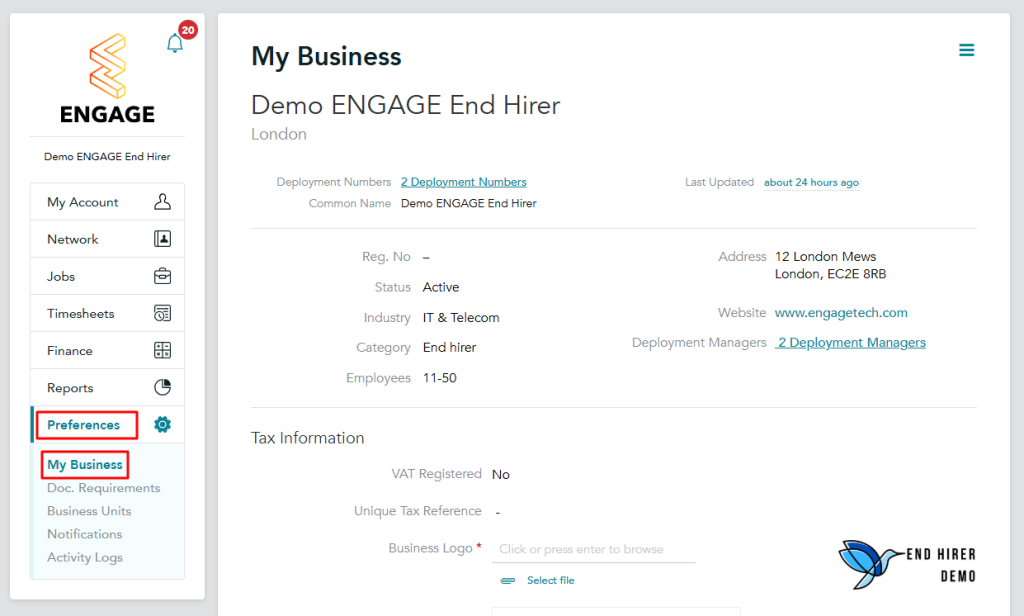
Step 3. View and take note of your Deployment Number(s).
- if you only have one Deployment Number, you will be able to view it at the top of the My Business page.
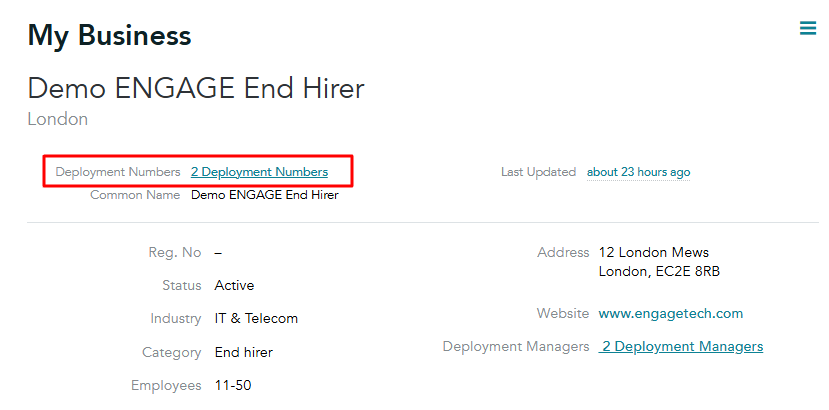
- if you have multiple Deployment Numbers, you will need to click on the Deployment Numbers hyperlink to display all your Deployment Numbers.
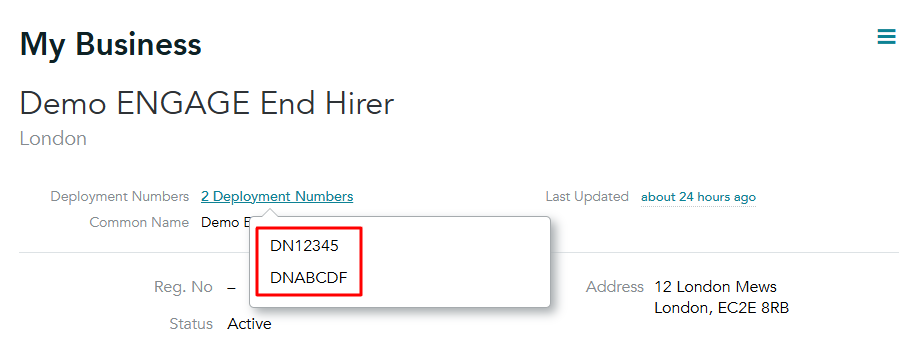
Key points for successfully completing this task
When you view your Deployment Numbers, you must keep the following key points in mind:
- As part of our continued improvement of the ENGAGE platform, your Deployment Numbers are now visible directly under the “My Business” page.
- You can now access them at any time whenever you need to use them for a Deployment Management task or when contacting ENGAGE Deployment Support.
- Deployment Numbers are being rolled out gradually across the platform. If yours are not visible yet, they will be available soon.
What happens after this task has been completed? Once you have completed the task of viewing your Deployment Numbers, what will happen next is that you will be able to use them for Deployment Management tasks or when contacting ENGAGE Deployment Support.